
Digital Banking That Puts You in Control.

Manage your money anytime, anywhere. Click any option to learn more or get step-by-step help.

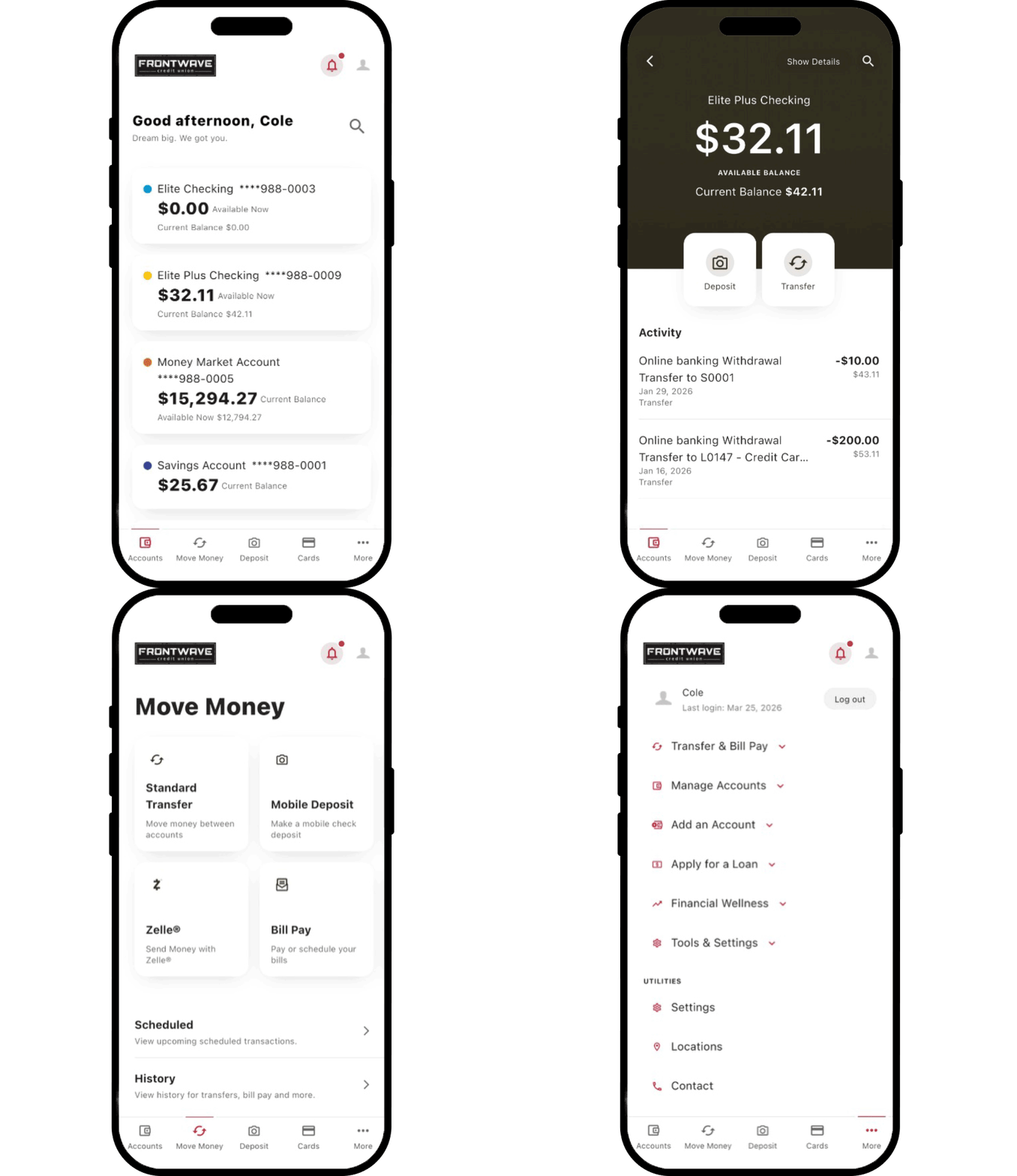
View & Manage Accounts

Check balances, view transactions and manage accounts anytime.

Pay Bills Fast

Pay anyone on time without checks, stamps or waiting in line.

Send Money with Zelle®

Zelle is a fast, easy way to send and receive money within minutes.1

Deposit Checks Anytime

Deposit checks from anywhere with your phone, no branch visits needed.

Move Your Money

Transfer money between accounts or another bank in just a few clicks.

Make a Loan Payment

Make loan and card payments fast, no hassle, no extra steps.

Manage Your Cards

Lock cards, set alerts, and control spending in real time.
Stay Informed & Organized

Set alerts you want and view statements and notices anytime.

Account Security & Safety

Protect your money and identity with strong, built-in security tools.
Get set up in just a few minutes.

  1. Go to ebanking.frontwavecu.com/Registration
  2. Review the Online Banking Access Agreement. Check I agree, then select Continue.
  3. Enter your Social Security number, date of birth, and Member ID or email. Select Continue.
  4. Verify your identity using the one-time code sent by text, email, or phone call.
  5. Create your username and password. Your password must include: 
    • At least 12 characters 
    • 1 uppercase letter 
    • 1 lowercase letter 
    • 1 number 
    • 1 special character
  6. Confirm your time zone and choose whether to enroll in eStatements. Select Continue.
  7. Select View Accounts to open your Digital Banking dashboard.

You're in! Start banking and managing your money anytime, anywhere.

Prefer to set up from your phone? Start here.

  1. Open the Frontwave Mobile App.
  2. Tap Sign up now and follow the prompts.
  3. Enter your Social Security number, date of birth, and Member ID or email. Select Continue.
  4. Verify your identity using the one-time code sent by text, email, or phone call.
  5. Create your username and password. Your password must include: 
    • At least 12 characters 
    • 1 uppercase letter 
    • 1 lowercase letter 
    • 1 number 
    • 1 special character
  6. Confirm your time zone and choose whether to enroll in eStatements. Select Continue.

You're in! Start banking and managing your money anytime, anywhere.

Forgot your password? No worries! We’ll help you get back in fast.

  1. On the login screen, select Forgot Password.
  2. Review the disclosure. Check I agree, then select Continue.
  3. Enter your username, Social Security number, and date of birth. Select Continue.
  4. Choose how you want to receive your temporary password by email or phone.
  5. Enter the temporary password and select Login.
  6. Create and confirm your new password.

Tip: Choose a strong, unique password you don’t use anywhere else. Never share it. Make sure to update it regularly to help protect your account.

Bank Smarter, Not Harder.

Level Up with Our Mobile App

  • Bank on your schedule wherever you are
  • Deposit checks from anywhere, anytime
  • Pay bills and move money fast
  • See balances and activity instantly
Disclaimers

1 U.S. checking or savings account required to use Zelle®. Transactions between enrolled consumers typically occur in minutes. To send or receive money with a small business, both parties must be enrolled with Zelle® directly through their financial institution’s online or mobile banking experience.

All third-party companies, products and service names used are for identification purpose only. All service marks, trademarks and registered trademarks are the property of their respective owners. Check with your wireless provider to determine if data and text messaging rates apply.