
Showing Up for Our Communities
Through Frontwave Give360, we support local organizations and causes that strengthen the communities we call home.
Through Frontwave Give360, we support local organizations and causes that strengthen the communities we call home.

Use the value you've built to renovate, consolidate, or fund what's next.
Lending options tailored for hardworking business owners like you.
Insights on money, life, and the communities we serve.
Turning compassion into action through grants, scholarships, and support for local nonprofits.

Send money between your Frontwave accounts, to another bank, or to people you trust. Use Digital Banking for everyday transfers, Zelle® for person-to-person payments or wire transfers when timing matters most. Open any topic below for more details.
From a Browser:
From the Mobile App:
IMPORTANT: Transfers between Frontwave accounts are processed immediately. External transfers may take 1–3 business days.
If you have already added an external account, it will appear as a payment option in the From Account dropdown. The steps below are for adding a new external account.
From a Browser:
From the Mobile App:
After adding your external account, return to the Transfers screen to complete your transfer.
IMPORTANT: External transfers may take 1–3 business days to post.
IMPORTANT: You have three attempts to enter the correct trial deposit amounts. After three failed attempts, the account must be re-added.
Once your external account is verified, follow these steps.
From a Browser:
From the Mobile App:
Follow these steps to ensure a smooth, secure wire transfer:
Provide the sender with these details to receive a wire from a U.S. financial institution:
Wire fraud is on the rise. Always verify wiring instructions before sending money. Cybercriminals hack emails and send fake but convincing wire details. Protect yourself by following these steps:
If you need assistance or want to verify wire details, call our Member Solution Center during business hours:
Local & International: 760.631.8700
Domestic Toll-Free: 800.736.4500
Hours: Monday–Friday 7 a.m. – 6 p.m. PT | Saturday 9 a.m. – 4 p.m. PT
Need to move money but cannot get online? Call and we will complete your transfer securely while you are on the line.
Call to transfer
Local & International: 760.631.8700
Toll-Free: 800.736.4500
Monday–Friday: 7 a.m. - 6 p.m. PT | Saturday: 9 a.m. - 4 p.m. PT
Zelle® is available to eligible Frontwave checking account members age 18 and older.
You can send, receive, or request money2 with Zelle®. To get started, log in to the Frontwave Mobile app. From the Dashboard, tap "Move Money" then "Send Money with Zelle®". Learn more
To send money using Zelle®, simply select someone from your mobile device's contacts (or add a trusted recipient's email address or U.S. mobile number), add the amount you'd like to send and an optional note, review, then hit "Send." The recipient will receive an email or text message notification via the method they used to enroll with Zelle®. Money is available to your recipient in minutes if they are already enrolled with Zelle®.
To request money using Zelle®, choose “Request,” enter their enrolled email address, U.S. mobile number or Zelle® tag, confirm the recipient is correct and tap "Request."
To receive money, just share your enrolled email address or U.S. mobile number with a friend and ask them to send you money with Zelle®. If you have already enrolled with Zelle®, you do not need to take any further action. The money will be sent directly into your Frontwave Credit Union account, typically within minutes.
If someone sent you money with Zelle® and you have not yet enrolled with Zelle®, follow these steps:
Keeping your money and information secure is a top priority for Frontwave Credit Union. When you use Zelle® within the Frontwave Mobile app, your information is protected with the same technology we use to keep your Frontwave Credit Union account safe.
Zelle® is a great way to send money to family, friends and people you are familiar with such as your personal trainer, babysitter or neighbor.1
Since money is sent directly from your Frontwave Credit Union account to another person’s bank account within minutes,1 Zelle® should only be used to send money to friends, family and others you trust.
If you do not know the person or are not sure you will get what you paid for (for example, items bought from an online bidding or sales site), do not use Zelle®. These transactions are potentially high risk (just like sending cash to a person you do not know is high risk).
Some small businesses can receive payments with Zelle®. Ask your favorite small business if they accept payments with Zelle®. If they do, you can pay them directly from the Frontwave Mobile app using their enrolled email address, U.S. mobile number or Zelle® tag.
To use Zelle®, the sender and recipient’s bank or credit union accounts must be based in the U.S.
No, Zelle® payments cannot be reversed.
You can only cancel a payment if the person you sent money to has not yet enrolled with Zelle®. To see whether the payment is still pending because the recipient has not enrolled, go to your activity page, choose the payment you want to cancel and then select “Cancel This Payment.” If you do not see this option, call our customer support team at 800.736.4500 for help canceling the pending payment.
If the person you sent money to is already enrolled with Zelle® through their bank or credit union’s mobile app, the money is sent directly to their bank account and cannot be canceled. This is why it is important to only send money to people you know and trust and always ensure you used the correct email address or U.S. mobile number when sending money.
If you sent money to the wrong person, call our customer support team immediately at 800.736.4500 to determine what options are available.
No, Frontwave Credit Union does not charge any fees to use Zelle® in our mobile app.
Your mobile carrier’s messaging and data rates may apply.
As of March 31, 2025, all users must be enrolled through one of the more than 2,300 banks and credit unions that offer Zelle® to send and receive money. The list of participating financial institutions is always growing. You can find the updated list of participating banks and credit unions live with Zelle® at Zelle.com. If their bank or credit union is not listed, we recommend using another payment method at this time.
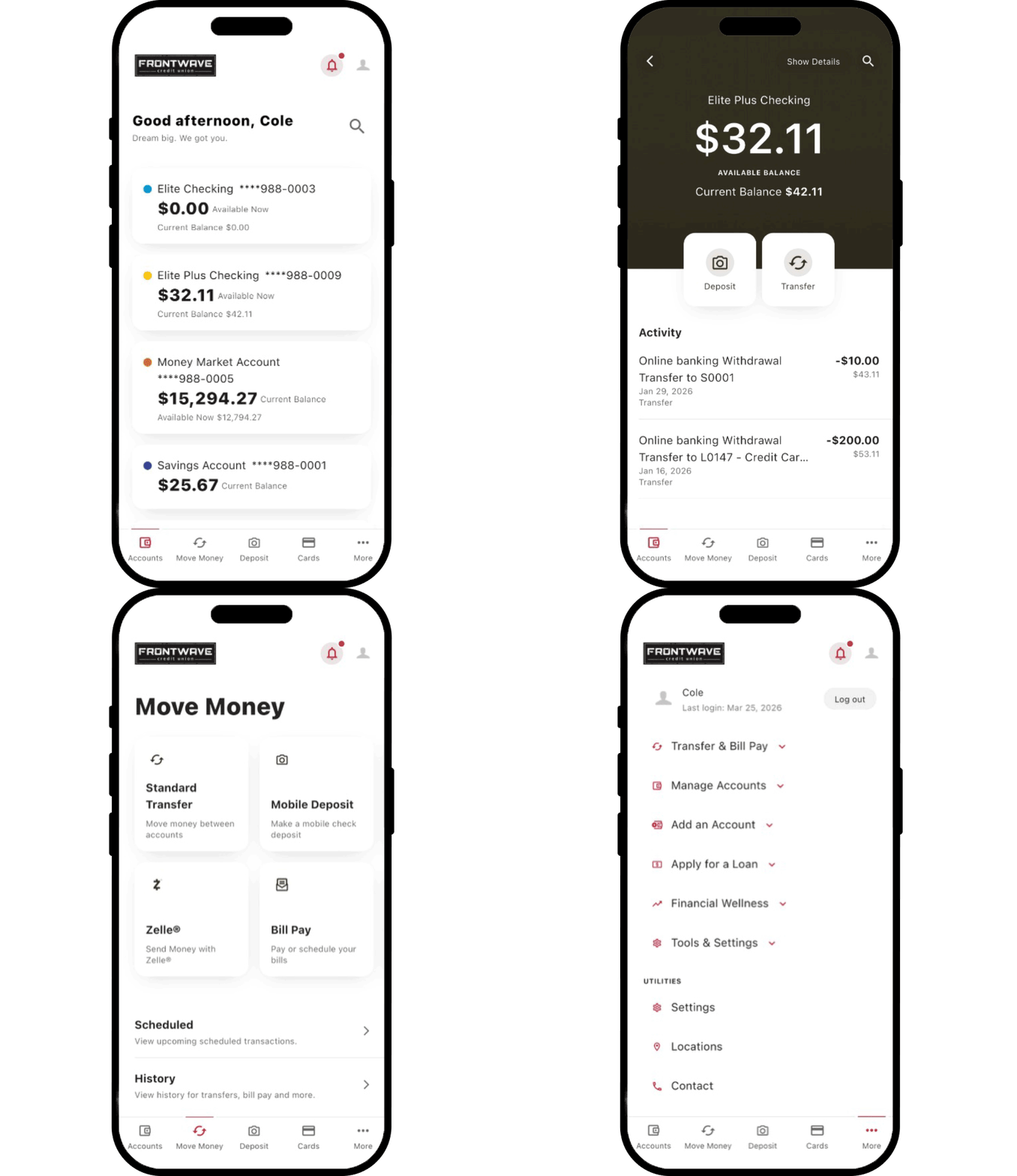
Level Up with Our Mobile App
* To send or receive money with Zelle®, both parties must have an eligible account with a participating financial institution. Zelle® is available only with eligible checking accounts at Frontwave. Transactions between enrolled users typically occur in minutes. To send or receive money with a small business, both parties must be enrolled with Zelle® directly through their financial institution’s online or mobile banking experience.
Zelle® and the Zelle® related marks are wholly owned by Early Warning Services, LLC and are used herein under license.
Internet Explorer is no longer supported by Microsoft. Please update to Microsoft's latest browser Microsoft Edge. Please note that even Microsoft's website cannot well-support this browser. Navigating to the link in this message will result in you being directed to a "Download Microsoft Edge" page with license terms and an "Accept and download" button.
You are leaving the Frontwave Credit Union website. External third-party web sites will be presented in a new and separate content window. Frontwave Credit Union does not provide, and is not responsible for, the product, service, overall website content, accessibility, security or privacy policies on any external third-party sites.