
Showing Up for Our Communities
Through Frontwave Give360, we support local organizations and causes that strengthen the communities we call home.
Through Frontwave Give360, we support local organizations and causes that strengthen the communities we call home.

Use the value you've built to renovate, consolidate, or fund what's next.
Lending options tailored for hardworking business owners like you.
Insights on money, life, and the communities we serve.
Turning compassion into action through grants, scholarships, and support for local nonprofits.
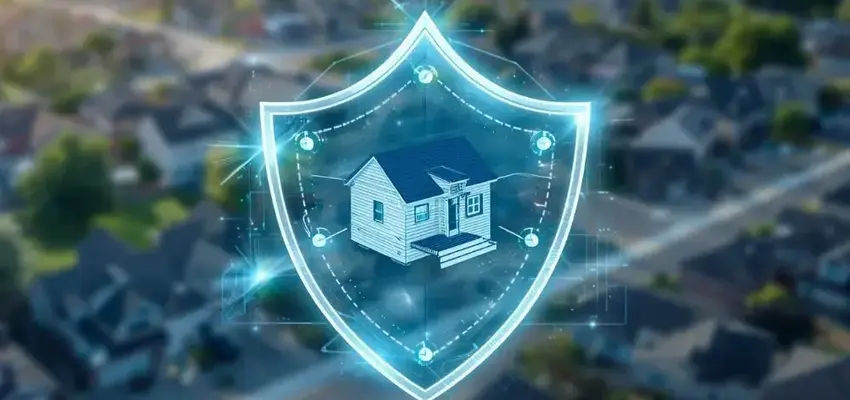
A homeowner gets a call offering to lower their mortgage payment. It sounds official and urgent.
The only problem? Their lender never made the call.
Scammers regularly contact homeowners pretending to represent mortgage companies or assistance programs. Their goal is simple: steal personal information or redirect mortgage payments.
Most scams fall apart when homeowners pause and verify before acting. The key is knowing what to look for. Here are five common tactics and how to shut them down.
Many mortgage scams begin with someone pretending to represent a mortgage company and offering payment relief or foreclosure help.
Once trust is established, scammers ask for fees or personal information, claiming they can lower payments or stop foreclosure.
They may promise guaranteed results, claim to represent government or lender programs, create urgent deadlines or discourage borrowers from contacting their lender directly.
Contact Frontwave at the number on your statement or in your loan portal. Legitimate help never requires upfront fees. If something feels off, give us a call or stop by a branch so we can help confirm what’s real.
Fraud Some scams involve criminals posing as mortgage companies via email, phone calls, or letters to steal account credentials or redirect payments.
Homeowners may receive messages that appear to be payment alerts, account verification requests, or notices claiming payment instructions have changed. Sender names often look legitimate, but email addresses or website links differ slightly.
Scammers rely on messages that look routine, so homeowners respond without questioning the request.
Use the contact information in your statement, or log in through your normal portal. If something doesn’t look right, contact Frontwave so we can help verify the communication.
Payment diversion scams try to reroute mortgage payments by sending fake notices claiming that payment addresses or portals have changed.
These messages often create urgency, warning that payments must be redirected immediately to avoid penalties or delays.
Never change payment methods without verifying directly through Frontwave using trusted contact information. Call or visit a branch if anything looks unusual before sending payment.
Some fraud attempts involve changing contact information or intercepting communications to gain access to mortgage accounts.
This can result in missing statements, unexpected contact changes or account alerts suddenly stopping.
Review contact information regularly and enable alerts so changes don’t go unnoticed. Contact Frontwave immediately if something looks wrong so the issue can be corrected quickly.
Pause and verify if you see:
When in doubt, contact Frontwave or visit a branch so we can confirm what’s legitimate.
Stop communicating with the sender and contact Frontwave using official contact information so we can review the situation with you. Then review your account for unusual activity and report the incident if needed.
Acting quickly helps prevent losses and protect your information. Mortgage fraud relies on urgency and confusion, so taking a moment to verify instructions before sending money or sharing information stops most scams.
If anything about a mortgage communication feels suspicious, give us a call or stop by a branch so we can confirm what’s real before you act. Protecting your home starts with knowing when to pause and double-check.
Dream big. We got you.
Internet Explorer is no longer supported by Microsoft. Please update to Microsoft's latest browser Microsoft Edge. Please note that even Microsoft's website cannot well-support this browser. Navigating to the link in this message will result in you being directed to a "Download Microsoft Edge" page with license terms and an "Accept and download" button.
You are leaving the Frontwave Credit Union website. External third-party web sites will be presented in a new and separate content window. Frontwave Credit Union does not provide, and is not responsible for, the product, service, overall website content, accessibility, security or privacy policies on any external third-party sites.