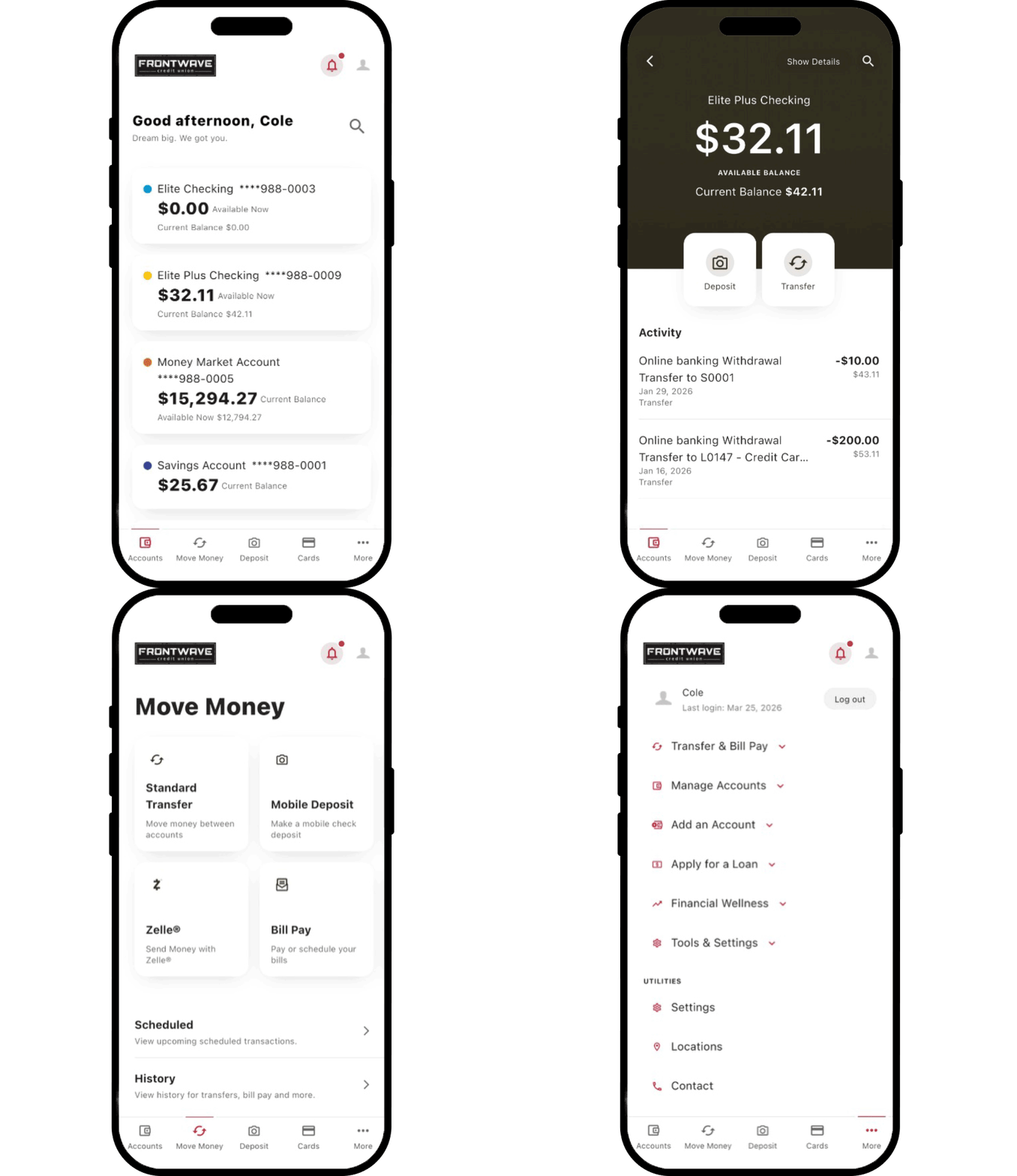
Make updates, move money and manage your accounts in one place. This page gives you clear steps for everyday account needs, from digital banking to in-branch services. Open any topic for details.
Manage Accounts in Digital Banking
When you log in to Digital Banking, your dashboard shows account balances right away. Select Accounts to view transaction history, check images, account numbers and more.
On the mobile app, the Accounts screen opens automatically. Tap any account to see details.
Tip: Review your account activity regularly to track spending and spot unusual transactions early.
Log in to your Digital Banking profile.
There are two ways to view Accounts:
Click Manage Accounts, then select Accounts.
Choose the account you want to view.
Your recent transactions will appear on the right.
Click on a transaction to see more details.
In Digital Banking:
Log in.
Click Manage Accounts, then select Accounts.
In the Transactions tab, use the search bar or funnel icon to filter by date, category, amount, type, or check number.
Click a transaction to view details.
In Mobile Experience:
Log in and tap the account you want to search.
On iOS: Pull down to reveal the search bar. On Android: Tap the magnifying glass icon.
Enter a vendor name, amount, or date.
Use the funnel icon to filter results.
Tap a transaction to view the details.
Log in to Digital Banking.
Click Manage Accounts, then select Accounts.
Choose your account.
Under your account name, click the eye icon next to your masked number to reveal it.
Log in to Digital Banking.
Click Manage Accounts, then select Accounts.
Choose your checking account.
In the Transactions tab, scroll to find the check - or use the search function.
Click the transaction to see the check number and image.
Click the check image to view a larger version.
To print, click Print All Images below the check image.
Update Your Information
You can update your address through Digital Banking. Name, phone number and email updates require direct contact with Frontwave.
You can update your address through Digital Banking, by phone or in a branch.
Digital Banking Send a secure message with your new address. Go to Settings > Contact to get started.
By phone Call the Member Solution Center at 800.736.4500
Bring: Government-issued photo ID with your new name or legal documentation such as a marriage certificate, divorce decree or court order.
Add someone to your account using our membership application from Digital Banking.
Steps
Log in to Digital Banking
Select Add an Account, then Add a Joint Owner
Complete the required form sections
Select Submit
Important Information:
Joint owners must meet eligibility and be 18+.
Joint owners have equal access and shared liability for the account.
Processing: 2-3 business days; confirmation via secure message or phone.
By adding a joint owner, you agree to the legal terms outlined in our Account Agreement.
To grant someone access to a Frontwave Credit Union account under a Power of Attorney (POA), we must have the POA document on file. You can submit it by:
Mail: Frontwave Credit Union, 1278 Rocky Point Dr, Oceanside, CA 92056
POA verification takes 48 to 72 business hours. Once approved, the attorney-in-fact will be able to access the account as authorized.
Shared Access
Shared Access lets you give someone permission to view or manage specific accounts without sharing your login. It’s helpful for financial advisors, accountants or trusted family members. Shared access can only be managed in Digital Banking from a browser, not in the Mobile App.
Tip: Choose permissions carefully. You control what each person can see or do, like viewing transactions or making transfers.
Shared access can only be managed in Digital Banking from a browser.
Log in to Digital Banking.
Click Tools & Settings, then Settings.
Select the Shared Access tab, then click Add a User.
Enter the invitee’s first name, last name and email address. Enter the email twice to confirm.
Under Choose Permissions, select the accounts and access level:
View account to see balances and transaction history.
Transfer into to move money into this account.
Transfer from to move money out of this account.
Select All permissions to grant full access.
Scroll down and click Save.
Review the settings. Check the acknowledgement box, then click Confirm.
You will return to the Shared Access dashboard and see a notice that the invitation is pending.
Click the pending invitation to open details. A six-digit confirmation code will appear.
Share this code directly with the invitee by phone, text or email. The code is valid for 24 hours.
If you need to make changes before sharing the code, open the invitation and select:
Edit User to change the name or email.
Edit Account Access to change permissions.
Cancel Invitation to remove the invite.
The invitee receives an email with a link to complete setup.
They choose one of the following:
Log In using an existing Frontwave username.
Register as a new user.
Sign In as Guest.
They enter the six-digit confirmation code you provided.
They complete the required fields and click Continue.
The system guides them through the remaining registration steps.
Account Services
Everyday tools and features that keep your account running smoothly.
Skip the trip to the branch and get your paycheck, Social Security or pension funds deposited automatically into your Frontwave account. Direct deposit is the fastest, safest and most convenient way to access your money. No waiting, no paper checks, no hassle.
Enter Frontwave’s routing number (322274925), your account number and your ZIP code
Follow the prompts to select your checks and complete your order
What to Know Before Ordering
First-time orders: Some members must place their first order directly with Frontwave. Contact us to check your status.
Reorders: If you’ve ordered checks within the last three years, you can reorder online. Otherwise, start a new order through the product catalog on OrderMyChecks.com.
Payment: The cost for checks is $40 and is automatically deducted from your checking account.
Delivery: Orders print in 1-2 business days. Standard shipping takes 7-10 days, with expedited options available.
Waiting on a loan decision? Skip the guesswork and check your application status anytime. No phone calls, no waiting.
Courtesy Pay is Frontwave’s standard overdraft service. If you do not have enough available funds to cover a transaction, Courtesy Pay may allow the transaction to go through. This can help avoid declined payments, but it may result in overdraft fees.
This section explains how Courtesy Pay works, what transactions are covered, what fees may apply and how to manage or revoke your overdraft preferences.
An overdraft occurs when you do not have sufficient available funds in your account to cover a transaction, but Frontwave Credit Union (Frontwave, we) pays it anyway. We can cover your overdrafts in two different ways:
We have standard overdraft practices (Courtesy Pay) that come with your account.
We also offer overdraft protection plans, such as a transfer from a savings account or link to a line of credit or Visa Credit Card, which may be less expensive than our standard overdraft practices. To learn more, ask us about these plans.
We do authorize and pay overdrafts for the following types of transactions:
Checks and other transactions made using your checking account number
Automatic bill payments
ACH
We do not authorize and pay overdrafts for the following types of transactions unless you ask us to (see below):
ATM transactions
Everyday debit card transactions
We pay overdrafts at our discretion, which means we do not guarantee that we will always authorize and pay any type of transaction. If we do not authorize and pay an overdraft, your transaction will be declined.
Under our standard overdraft practices (Courtesy Pay):
We will charge you a Courtesy Pay Fee of $14 each time you overdraft your account.
We do not charge more than five (5) Courtesy Pay fees within the same calendar day.
We do not charge a Courtesy Pay fee until the account is negative more than $20.00.
If you also want us to authorize and pay overdrafts on ATM and everyday debit card transactions, log in to Digital Banking and select “I agree” in the Courtesy Pay pop-up, visit a branch or call us at 1.800.736.4500.
You have the right to revoke your consent to participate in our overdraft services at any time. To revoke your consent, you may contact us by phone, mail, or in person at any of our branch locations. Upon revocation, you will no longer be enrolled in the overdraft service, and any future transactions that would result in an overdraft will be declined.
Internet Explorer is no longer supported by Microsoft. Please update to Microsoft's latest browser Microsoft Edge. Please note that even Microsoft's website cannot well-support this browser. Navigating to the link in this message will result in you being directed to a "Download Microsoft Edge" page with license terms and an "Accept and download" button.
Leaving Frontwave Credit Union
You are leaving the Frontwave Credit Union website.
External third-party web sites will be presented in a new and separate content window. Frontwave Credit Union does not provide, and is not responsible for, the product, service, overall website content, accessibility, security, or privacy policies on any external third-party sites.